

PRO
€1,449 one-time
Finish Blue Change above
- Monthly spending
- €25,000
- Monthly ATM
- €5,000
Details
Solid metal, shown in brushed blue
- Material
- Solid metal
- Finishes
- Red, rainbow, blue, pink or stainless steel
- Included
- Custom engraving

Entdecke Borderless Banking am Desktop in unserer interaktiven Büro-Experience.
Zur ExperienceAuf deinem Smartphone kannst du die mobile Website direkt öffnen.
Metal tiersPRO, ELITE,
ULTRA, TITAN
Virtual networksVisa and
Mastercard
Card acceptance180+ countries
FundingCrypto
Two ways to spend your crypto in local currency: solid metal cards requested through our concierge, and virtual cards you order in the app.
Both kinds of card are funded with crypto and topped up from your wallet in the Borderless Banking app. When you pay, the amount is converted into local currency at the time of the purchase, so you do not have to move your crypto to a bank first.
Borderless Banking is a technology platform, not a bank. Cards are issued through partner institutions, and the conditions depend on the card programme.
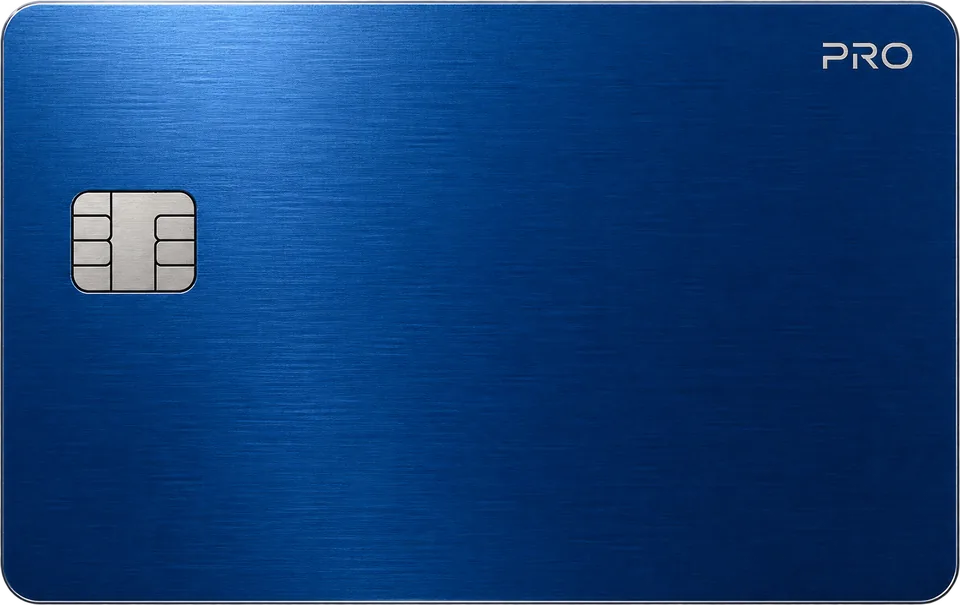
Solid metal, accepted in 180+ countries and recharged with crypto such as BTC, ETH or USDT. From €1,449, one-time.
€1,449 one-time
Finish Blue Change above
Solid metal, shown in brushed blue
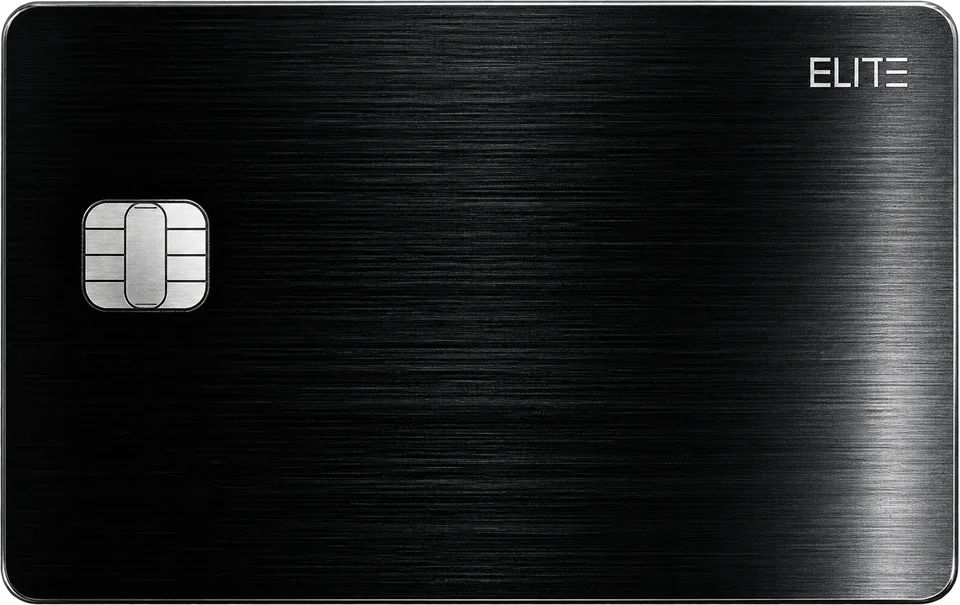
€3,599 one-time
Finish Brushed black Change above
Solid metal, shown in brushed black
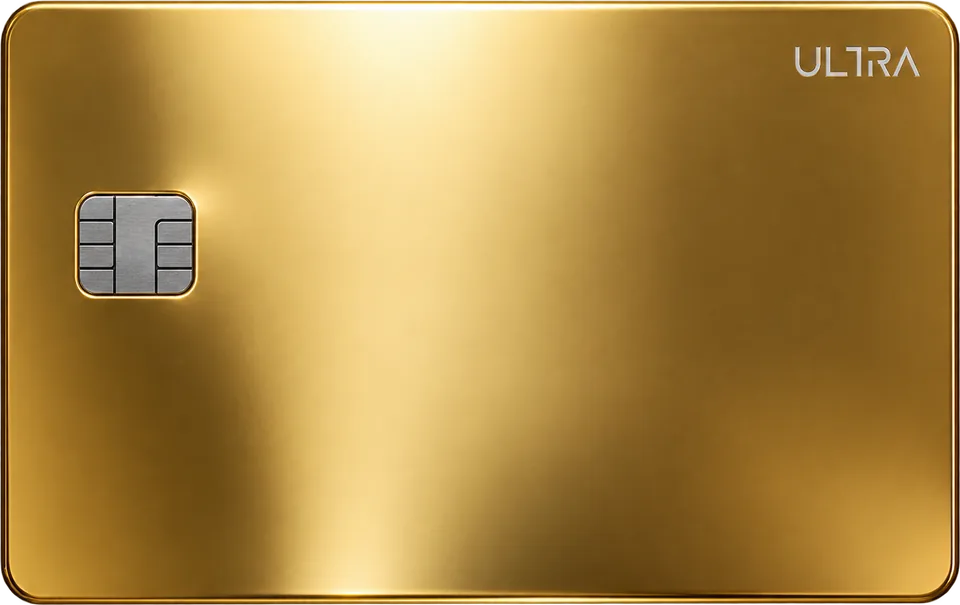
€14,499 one-time
Finish 24K Gold Edition Change above
Enhanced with real gold, shown in brushed gold
ULTRA includes 50+ brand designs. Ask our concierge for the current gallery.
Invite only
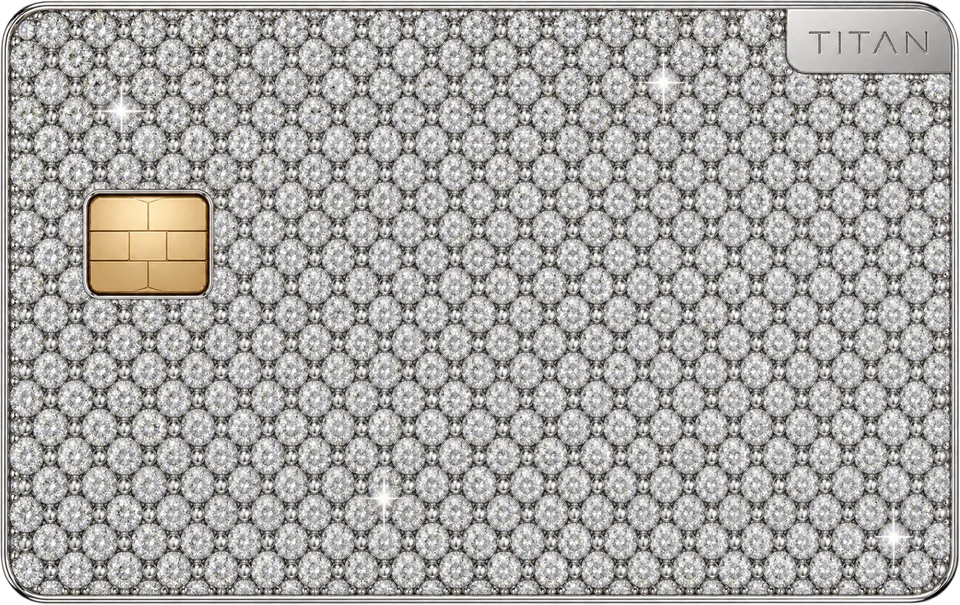
Finish Diamond pavé
Set with 200+ VVS1 Color D diamonds
Each TITAN carries a unique serial number from a limited series. About serial numbers
Diamond design reference. Ask the concierge for current product photographs and specifications.
One fee schedule for all four metal cards, shown where each fee applies. Amounts in euros.
Recharge the card with crypto such as BTC, ETH or USDT from your wallet.
In stores and online in 180+ countries. The amount is converted into the local currency when you pay.
At ATMs, up to the monthly ATM limit of your tier.
You activate the card in the Borderless Banking app when it arrives. One monthly fee applies to every tier.
These are the fees of the metal card programme. The public Terms and Conditions list other card fees for a card programme they do not name; those figures are not part of this schedule. For current conditions, ask concierge@bbanking.capital.
Prices, limits and fees from the metal card programme
Pick a metal. Our concierge replies by email and takes it from there.
Metal cards are requested through our concierge, who handles every request by email.
Choose a metal and enter your name and email. Your email app opens with the request filled in; you can also write to concierge@bbanking.capital.
The concierge replies to confirm the card and colour, your phone number, the delivery address, an optional name to engrave, and how you pay: crypto or bank transfer.
According to the help centre, physical cards always need full KYC: a government-issued photo ID, a selfie and a proof of address no older than three months.
Your card is made and sent with insured delivery worldwide. You activate it in the Borderless Banking app.
No delivery time is published. Ask our concierge for the current timeline to your country.
Material, finishes and what is included. Prices are one-time; TITAN is assigned by invitation, not sold at a list price.
Solid metal, shown in brushed blue
Solid metal, shown in brushed black
Enhanced with real gold, shown in brushed gold
Set with 200+ VVS1 Color D diamonds
Every figure of the four tiers in one table.
Every tier is accepted in 180+ countries. Ask our concierge whether your country is supported for delivery and use.
The two fee sets belong to different card programmes. Do not add them up. For the conditions of a specific card, write to support@bbanking.capital.
Metal card figures from the metal card programme, virtual card conditions depend on the card programme
01 What it is
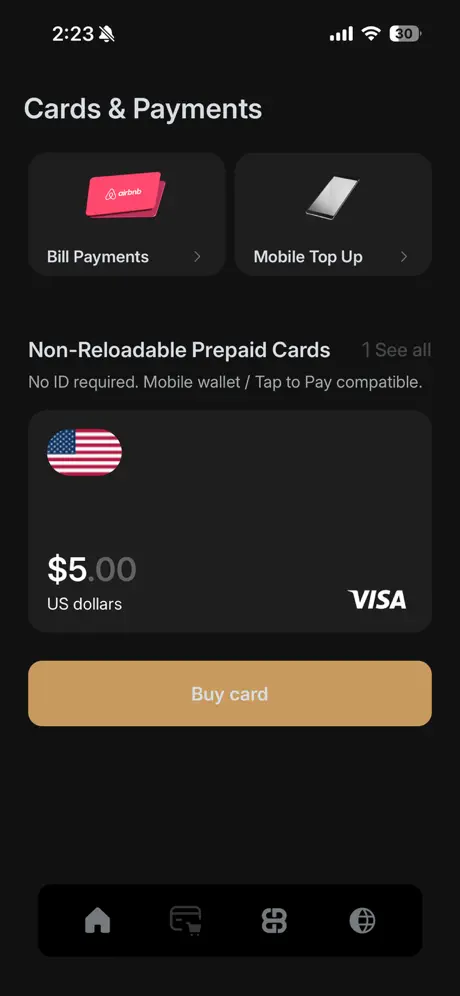
A Visa or Mastercard card number funded with crypto, for paying online and through mobile wallets, ordered in the Borderless Banking app.
02 Where it works
03 How you load it
A single-load card is loaded once and used until the balance is spent.
A reloadable card can be topped up again from your crypto balance.
04 How you pay
A virtual card has no plastic and no delivery. You load it with crypto from your wallet, and when you pay, the amount is converted into the local currency at the time of the purchase. There are single-load and reloadable options, depending on the card programme.
Cards are issued through partner institutions. Borderless Banking is a technology platform, not a bank.
You order a virtual card in the Borderless Banking app, as the help centre describes it.
Download the app, create your wallet and go to the Cards section. Choose Virtual Card.
Select the card you want and a supported currency: USD, EUR or GBP. Check its country list and fees.
Complete the payment from your crypto balance. Depending on the card, you may need to complete a light identity check first.
The card appears in your app. Use it online or add it to Apple Pay, Google Pay or Samsung Pay, depending on the card type.
Step-by-step help: How to order a virtual crypto card in the help centre.
Pay anywhere Visa or Mastercard is accepted online, depending on your card's network.
Add the card to Apple Pay, Google Pay or Samsung Pay, depending on the card type.
Reloadable cards can be topped up at any time from your crypto balance in the app.
How top-ups workFollow your spending and load crypto directly from your wallet in the app.
No card needed: spend your crypto on gift cards from over 8,500 brands.
Gift cards with cryptoWhat the published sources say today. Conditions depend on the card programme, so check the card you choose before you buy.
The approved country list is not published on this site. Ask support@bbanking.capital whether your country is covered.
Fees and card rules
No fee schedule for virtual cards is published on this site. Fees depend on the card programme. The public Terms and Conditions state a $0.50 fee on all card transactions and a 2.75% foreign exchange fee on non-USD transactions, without naming the card programme they apply to. The metal card fee schedule is separate and does not apply here.
The Terms also set rules for prepaid cards: activation links expire after two months, and cards expire six months after last use unless stated otherwise. Active cards stay valid until the printed expiry date; after that, a remaining balance may be forfeited under issuing bank policies.
For the current conditions of a specific card, write to support@bbanking.capital.
Contact supportDownload the app, open the Cards section and choose a virtual card.
Card fees and conditions depend on the card programme
Limited, numbered Borderless Banking cards with your number engraved, where each number range comes with its own privileges, as the programme describes them.
Drag along the ranges or use the arrow keys. Ranges drawn at equal width, not to scale.
Whole numbers from 1 to 10000
Range 001-099
Described for: Those shaping the direction of the network
Range 100-499
Described for: Leaders recognised for their contribution and presence
Range 500-999
Described for: Those entering the world of lifestyle privileges
Elite Access is a number range, not the ELITE metal card.
Elite Access is a number range, not the ELITE metal card.
Range 1000-10000
Described for: No description published
No privileges published. Ask our concierge.
Price and availability come from the public number check on bbanking.capital at the moment you pick a number. Nothing is reserved here; the request form opens with your number filled in.
Privileges as the programme describes them. They are offered on request and subject to availability.
The serial number programme offers limited-edition Borderless Banking cards with a number of your choice. The number is engraved on the card and certified before the card is sent.
Numbers are grouped in four ranges. The lower the range, the more privileges the programme describes for it. Sources differ on which metal card carries which numbers, so our concierge confirms the card and the number with you before you pay.
Borderless Banking runs a serial number programme for limited, numbered cards. Numbers are grouped in ranges from 001-099 up to 1000-10000, and the number is engraved on the card.
The programme describes different privileges for each range. They are offered on request and subject to availability, with no guarantee.
Some numbers carry a pattern or a personal meaning, such as repeated digits or mirrored sequences. They are available on request only and come with a Certificate of Authenticity and engraved personalisation.
Select numbers are offered through private auctions. Participation is by invitation and limited to verified members of the Titan Registry. Minimum bids and reserve prices apply.
Pick a number from one of the ranges, or ask for a special number or a private allocation.
The form asks for your email, phone number and full name, whether you are already a Borderless Banking client (and your client ID if so), the number you want and your offer.
You pay by crypto or fiat. Verified clients get concierge onboarding for the identity check.
Your number is engraved on the card, certified and prepared for dispatch.
The privileges described for your range are arranged on request and subject to availability.
The request form is hosted by JotForm. If you prefer email, write to concierge@bbanking.capital with the number you want.
Tell us the number you have in mind. Our concierge confirms availability, the card it goes on and the price.
Privileges as described by the programme, on request and subject to availability
With crypto. You load a card from your Borderless Banking wallet, and the amount is converted into local currency when you pay. Metal cards can be recharged with BTC, ETH, USDT and more.
Virtual cards can be added to Apple Pay, Google Pay or Samsung Pay, depending on the card type. For a metal card, ask our concierge before you order.
The metal cards have one published fee schedule for all four tiers. For virtual cards, fees depend on the card programme; the public Terms list $0.50 per card transaction and 2.75% on non-USD transactions without naming the programme.
No. Borderless Banking is a technology platform and does not directly hold funds. Cards are issued through partner institutions.
The metal cards are accepted in 180+ countries. Ask our concierge whether your country is supported before you order.
Use "Request" next to the metal you want. It opens your email app with a prepared message to our concierge. If nothing opens, write to concierge@bbanking.capital and name the metal.
The order offers two ways to pay for the card: crypto or bank transfer. Once you have it, you recharge the card with crypto such as BTC, ETH and USDT. The top-up fee is listed under From top-up to payment.
According to the help centre, physical cards always need full KYC, including a valid photo ID and proof of address. See which documents you need.
No delivery time is published. Cards are sent with insured delivery worldwide, and our concierge tells you the current timeline for your country when you order.
TITAN has no list price. It is invite only, and the concierge checks your eligibility. Use "Request an invitation" to start.
The app store listing names a Diamond edition. No conditions are published for it, so ask our concierge.
No. Cards are issued through partner institutions. Borderless Banking is a technology platform, not a bank.
Both exist, depending on the card programme: a single-load card is loaded once, a reloadable card can be topped up again. Check the card you choose in the app, or ask support before you buy.
According to the help centre, virtual cards may need no KYC or only a light check. Higher spending limits need KYC. Physical cards always need full KYC.
Through Apple Pay, Google Pay or Samsung Pay, where the card type supports it. Some virtual cards are made for online payments only, so check the card before you buy.
No. The help centre lists ATM withdrawals for physical cards only. If you need cash, look at the metal cards or USDC to cash with MoneyGram.
The help centre says virtual cards are issued within minutes and shown in your app.
That depends on the card programme. The only published figures are in the Terms: $0.50 per card transaction and 2.75% on non-USD transactions, for a programme the Terms do not name. Ask support for the current conditions of your card.
The price is quoted for each number when you request it. No price list is published. For private auctions, minimum bids and reserve prices apply.
No. They are described by the programme and offered on request, subject to availability. Ask our concierge what your number includes before you commit.
This page has no verification tool. To check a card's serial number, contact our concierge or support@bbanking.capital. Never send your full card number or PIN by email.
The request form asks whether you are already a Borderless Banking client, and for your client ID if you are. According to the help centre, physical cards always need a full identity check.
Numbers with a symbolic pattern or personal meaning, such as repeated digits or mirrored sequences. They are available on request only.
Before you order
Card issuance, approval and compliance depend on the issuing institution. Cards may have spending limits and regional restrictions.
Before you buy, check that your country is supported and which fees apply to your card. For current conditions, write to support@bbanking.capital. For metal cards, our concierge answers at concierge@bbanking.capital.
Browse the help centrePrices, limits and fees from the metal card programme
Start from how you pay and how you want to get your card.
A virtual card is the quicker start. Order it in the app and use it online, or add it to Apple Pay, Google Pay or Samsung Pay where the card type allows.
See virtual cardsA metal card works at ATMs and has monthly limits from €25,000 on PRO up to €3,000,000 on TITAN.
See metal cardsAccording to the help centre, some virtual cards need no KYC or only a light check. Physical cards always need full KYC, including proof of address.
Serial numbers are limited and offered on request. The programme describes different privileges for each number range.
About serial numbersVirtual cards are ordered in the app, and metal cards are activated there.